Prerequisites on the Cirrus Shield side:
The email templates used must exist in the “Email Templates” object. Check the following items:
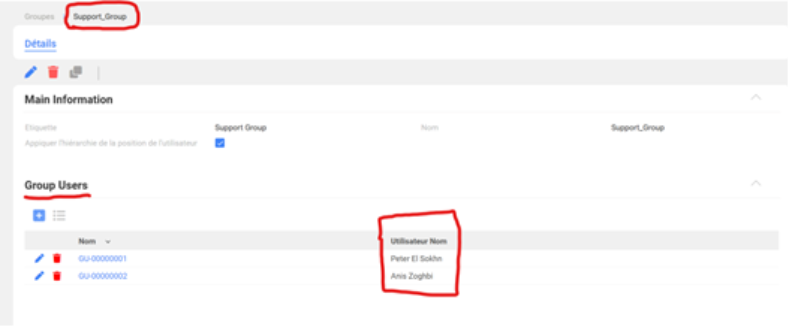
The Support Group exists.
If it does not exist:
Click on setup
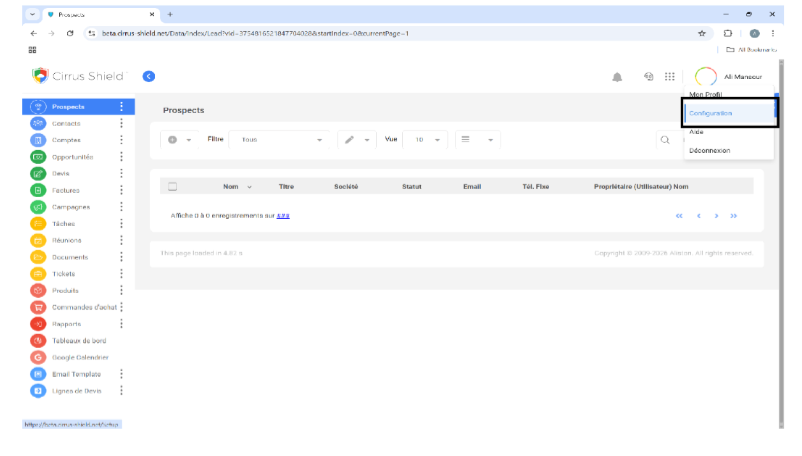
Then click on user management
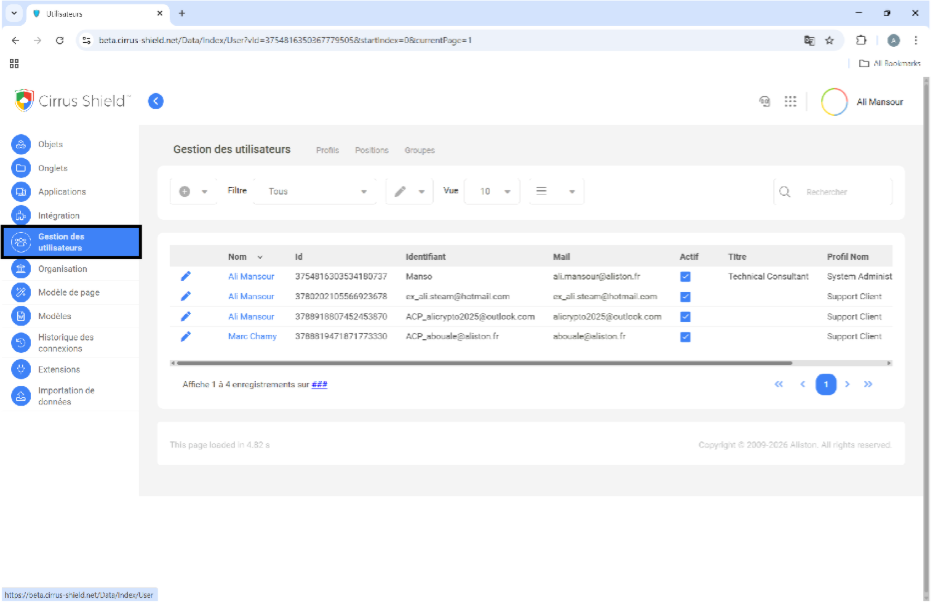
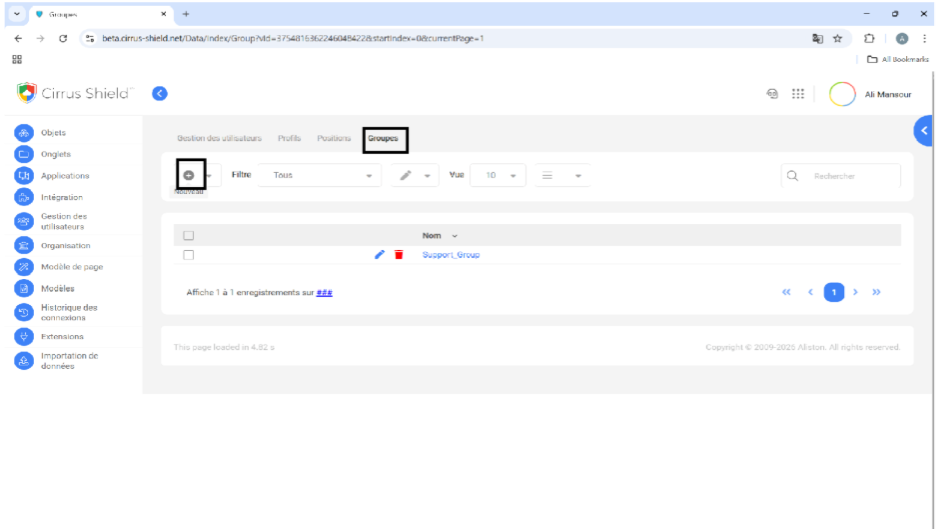
Next, click on groups and then on new:
Fill in the information as shown in the image below.
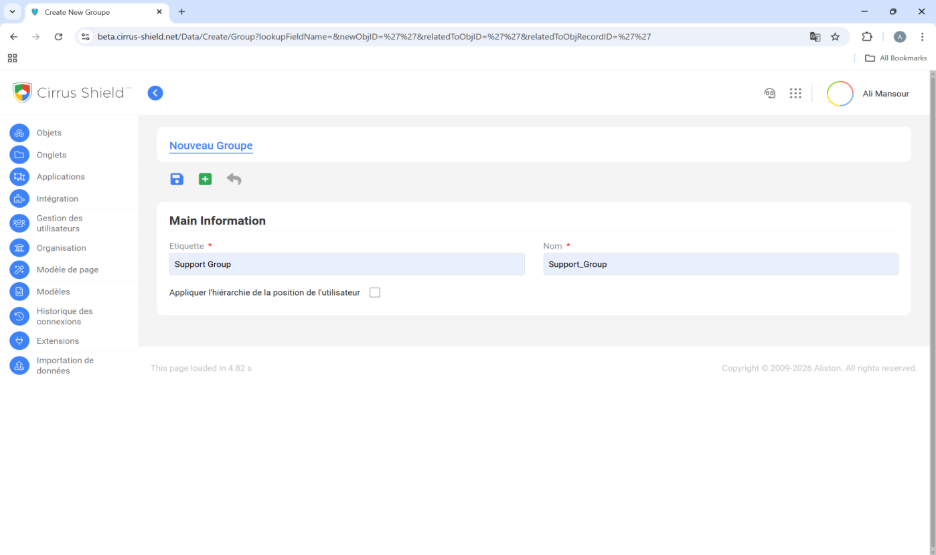
Verify that the necessary users are correctly assigned to this group.
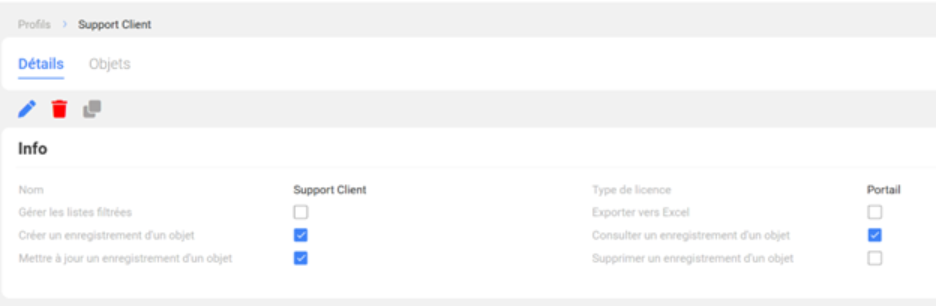
2 The Customer Support profile is properly created.
3. The “Activate customer portal” button is added to the Contact object.
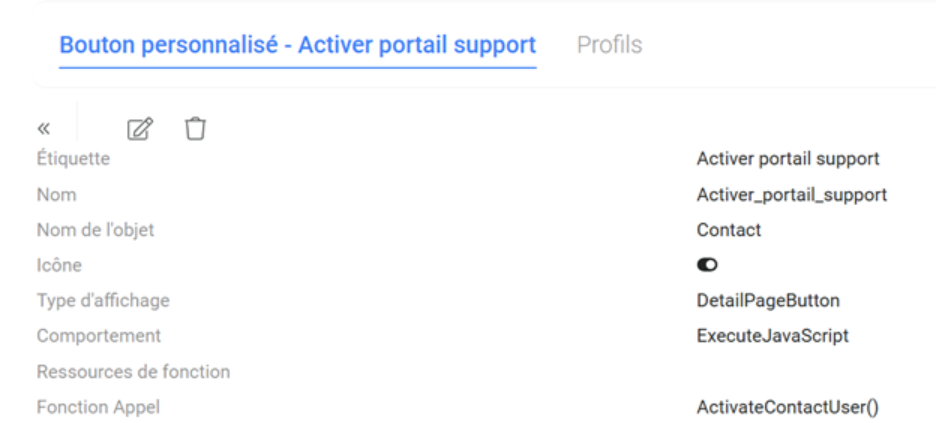
If the button does not exist:
- Go to setup, then click on objects, find the contact object, and click on details.
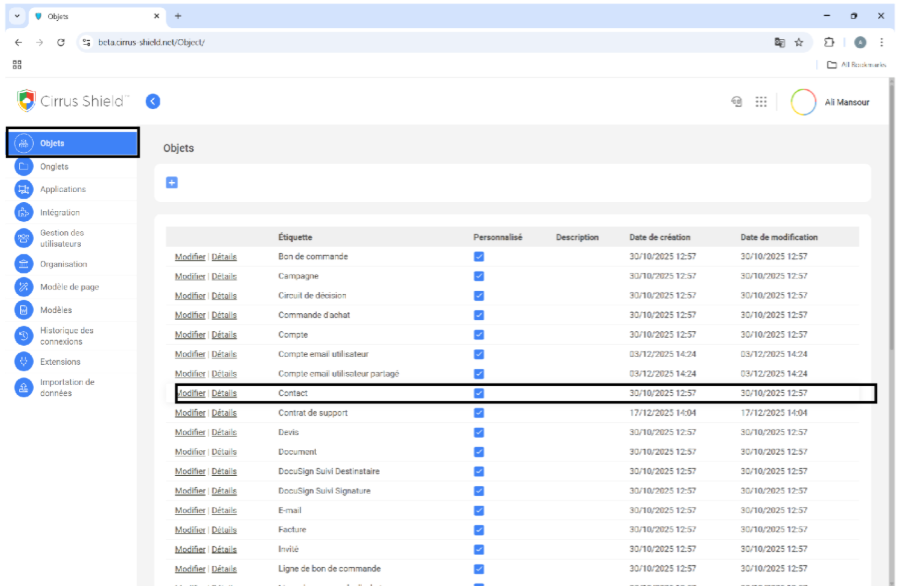
Click on custom buttons and then on new:
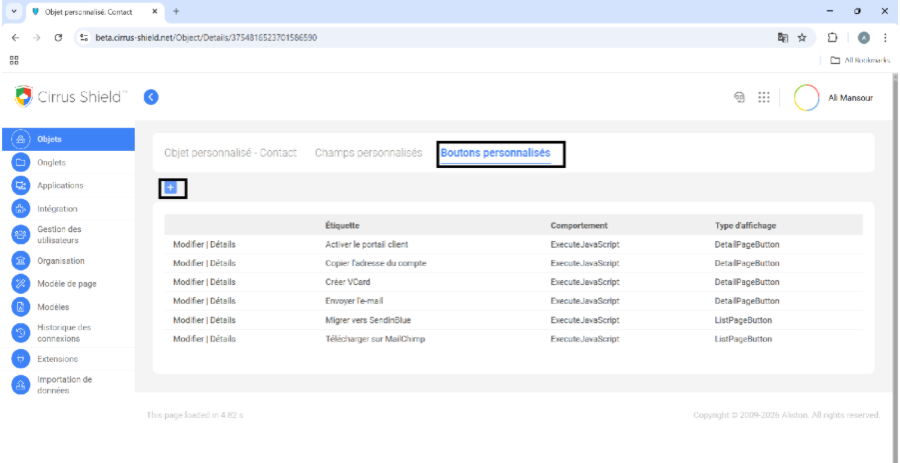
Fill in the information as shown in the image below:
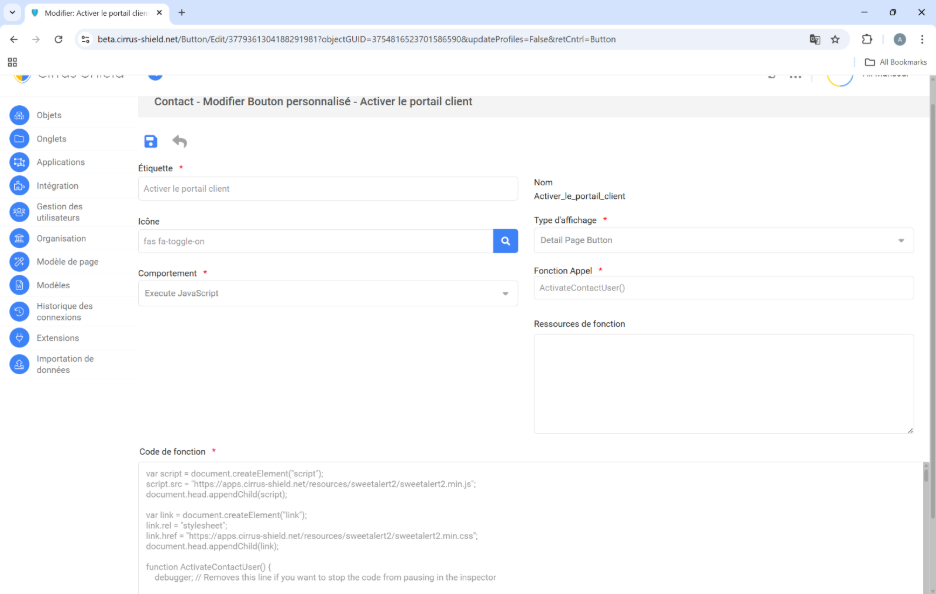
The function code:
var script = document.createElement("script");

script.src = "https://apps.cirrus-shield.net/resources/sweetalert2/sweetalert2.min.js";

document.head.appendChild(script);

var link = document.createElement("link");

link.rel = "stylesheet";

link.href = "https://apps.cirrus-shield.net/resources/sweetalert2/sweetalert2.min.css";

document.head.appendChild(link);

function ActivateContactUser() {

    debugger; // Removes this line if you want to stop the code from pausing in the inspector

    let OrganizationId = btoa(GetOrganizationInfo().Id);

    let currentUserGuid = GetLoggedInUserGUID();

    let objUser = GetDataByID(currentUserGuid, "User", "Language");

    let UserLanguage = objUser.Language;

    let thisGuid = GetRecordGUID();

    let Contact = GetDataByID(thisGuid,"Contact","Id,Account, Name,Email,First_Name,Last_Name,PortalUser");

    let userContact = GetData(`Select Id, Name from User Where Email = ${Contact.Email}`)

    let password = GenPassword();

    let user = "ACP_" + Contact.Email;

    let MailModel = GetData("Select Body,CC,BCC,Subject,To From Email_Template Where Name = 'Activation portail support'").Email_Template[0]

    MailModel.Body=MailModel.Body.replace("{!UserPlaceholder}",user)

    MailModel.Body=MailModel.Body.replace("{!PasswordPlaceholder}",password)

    // 4. Run Error Handling

    if (!ErrorHandling()) {

        return;

    }

    // 5. Get Account and Position Data

   let Account = GetDataByID(Contact.Account,"Account","Id,Name");

    let position = GetData(`Select Id, Name from UserPosition Where Name = ${Account.Name}`)

    var parentPositionId = "3779523246987151657";

    let positionId = "";

    positionCheck();

    var createdUser = CreateUser();

    if (createdUser == false) { return; }

    createdUser = createdUser.RecordGUID

    UpdateContactAndUser(createdUser)

    SendMailToContact()

    successMessage()

    // --- Helper Functions ---

    function SendMailToContact() {

        var jsonString = [];

        try {

            jsonString.push({

                "objectName": "Contact",

                "recordId": thisGuid,

                "from": "Org",

                "subject": MailModel.Subject,

                "to": Contact.Email,

                "cc": "ali.mansour5@aliston.fr",

                "bcc": "",

                "replyTo": "",

                "CurrentUserId": GetLoggedInUserGUID(),

                "OrganizationId": GetOrganizationInfo().Id,

                "body": {

                    "emailBody": MailModel.Body,

                    "attachments": [],

                    "Templates": []

                }

            });

        } catch (e) {

            console.error(e);

        }

        return generateDocsAndSendEmail("https://beta.cirrus-shield.net", jsonString);

    }

    function UpdateContactAndUser(userGUID) {

         ObjectMap = [{

            "Id": thisGuid,

            "PortalUser": userGUID,

        }];

         docContact = fillDocMapArray(ObjectMap, "Contact");

        RecordShortcutV2("Update", "Contact", "Contact", docContact);

    }

    function CreateUser() {

        debugger;

        ObjectMap = [{

            "FirstName": Contact.First_Name,

            "Username": user,

            "LastName": Contact.Last_Name,

            "Email": Contact.Email,

            "ProfileId": "3779364767659985837",

            "PositionId":positionId,

            "Language": UserLanguage,

            "Password": password

            // "Formateur":GetRecordGUID()

        }];

        docUser = fillDocMapArray(ObjectMap, "User");

        return RecordShortcutV2("Create", "Utilisateur", "User", docUser);

    }

    function GenPassword() {

        const chars = "0123456789abcdefghijklmnopqrstuvwxyz!@ABCDEFGHIJKLMNOPQRSTUVWXYZ";

        const passwordLength = 12;

        let password = "";

        for (var i = 0; i <= passwordLength; i++) {

            var randomNumber = Math.floor(Math.random() * chars.length);

            password += chars.substring(randomNumber, randomNumber + 1);

        }

        return password;

    }

    function ErrorHandling() {

        if (Contact.PortalUser != null && Contact.PortalUser != undefined) {

            alert("Il existe déjà un utilisateur associé à ce contact."); // An user associated with this contact already exists.

            return false;

        }

        // FIX: Better check for existing user (checking .User array length)

        if (userContact && userContact.User && userContact.User.length > 0) {

            alert("Un utilisateur avec le même email que ce contact existe déjà."); // A user with the same email as this contact already exists.

            return false;

        }

        if (Contact.Account == null || Contact.Account == undefined) {

            alert("Veuillez indiquer le compte"); // Please specify the account

            return false;

        }

        if (!confirm("Etes-vous sûr(e) de vouloir activer le portail de ce contact ?")) { // Are you sure you want to activate the portal for this contact?

            return false;

        }

        return true;

    }

   function successMessage(){

        var urlRecord = "https://beta.cirrus-shield.net/Data/Details/" + thisGuid+ "?objectName="+"Contact"

        setTimeout(() => {

            Swal.fire({

                icon: 'success',

                title: `L'utilisateur de ce contact a été créé avec succès`, // The user for this contact was successfully created

                text: `L'utilisateur de ce contact a été créé avec succès et un mail lui a été envoyé !`, // The user for this contact was successfully created and an email was sent to them!

                confirmButtonText: `Rafraichir le contact`, // Refresh the contact

            });

        }, 1000);

    }

    function generateDocsAndSendEmail(cssServerURL, data) {

        var url = `https://docxtopdf.cirrus-shield.net/DocxToPDF/GenerateDocsAndSendEmails?CSServerURL=${encodeURIComponent(cssServerURL)}`;

        var token = GetTokenID();

        return new Promise((resolve, reject) => {

            $.ajax({

                url: url,

                type: "POST",

                contentType: "application/json",

                headers: {

                    "Authorization": `Bearer ${token}`

                },

                data: JSON.stringify(data),

                success: function(response) {

                    resolve(true);

                },

                error: function(xhr, status, error) {

                    console.error(`Error: ${xhr.status} - ${xhr.statusText}`);

                    resolve(false);

                }

            });

        });

    }

       function positionCheck(){

    debugger

        if(position == null){

            var doc = fillDocMapArray([{Name:Account.Name,ShareDataWithPeers:1,ParentPositionId:parentPositionId}],"UserPosition")

            positionId = RecordShortcutV2("Create","UserPosition","UserPosition",doc).RecordGUID

        }else{

            positionId = position.UserPosition[0].Id

        }

    }

}
Adapt the Position and Profile GUIDs in the code according to your environment (CTRL F “PositionId” and “ProfileId”).
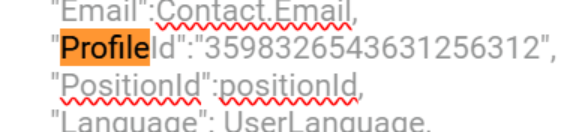
To find your ProfileId and PositionId, follow these steps:
– Go to user management, click on profiles (as done previously), then click on customer support.
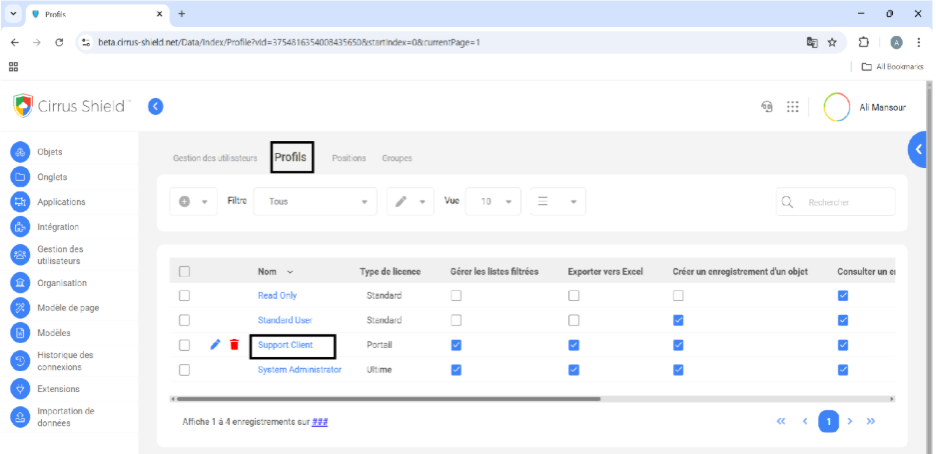
The ProfileId is located in the URL after clicking on Customer Support. For example: https://beta.cirrus-shield.net/Data/Details/3779364767659985837?objectName=Profile&retAction=Index
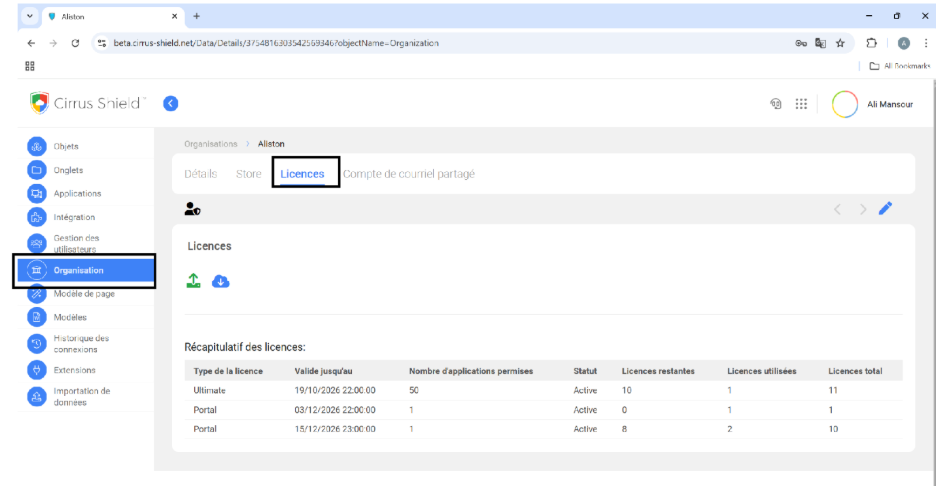
4. Check that you have enough remaining portal user licenses.
- Go to setup, click on organization, then licenses.
- Vérifier que certains champs sont présents pour l’objet tickets :
- Verify that certain fields are present for the tickets object:
- Description (Text)
- Account (Lookup Relationship)
- Contact (Lookup Relationship)
- Support Contract (Lookup Relationship)
- Ticket Owner (Multi-Lookup Relationship)
- Status (Picklists)
- Subject (Picklists)
- Type (Picklists)
Portal configuration (Administrator)
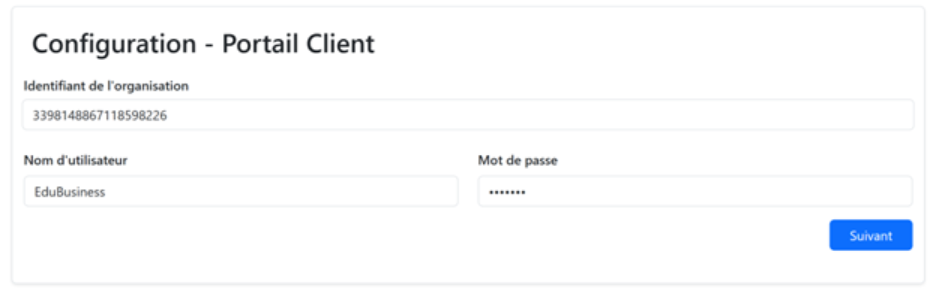
Access to the configuration interface: https://clientportalapi.cirrus-shield.net/fr/config/{OrgId}
Steps:
- Enter the username and password.
Click “Next”.
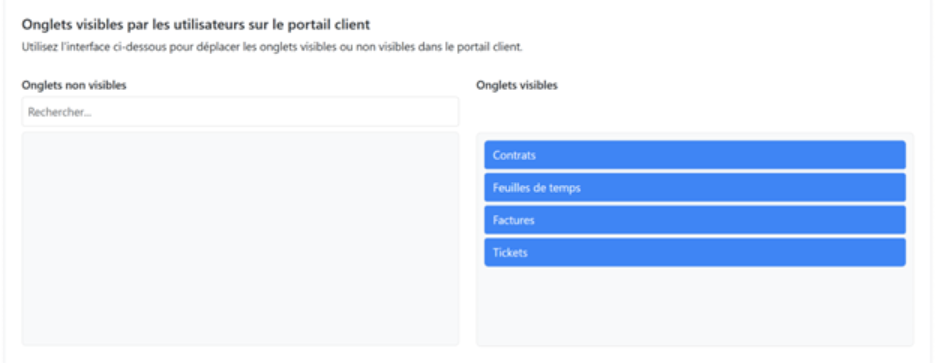
3. Select the elements to display on the portal as needed:
- Configure the automatic notifications sent to users in the Support_group group:
- When a ticket is created
- When an action is detected on a ticket
- When a note is added to a ticket
- When a document is added to a ticket
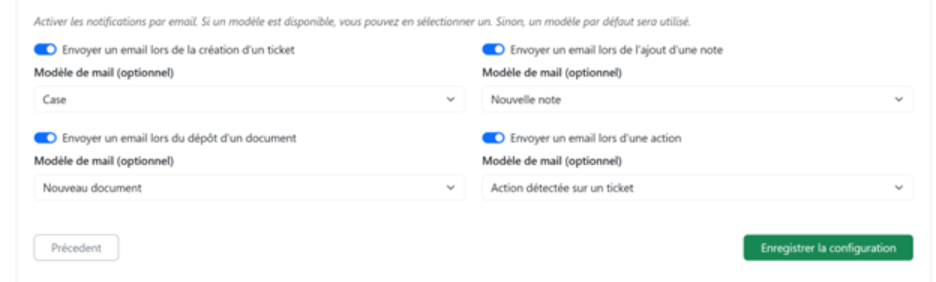
Click on Save configuration to save.

